Wix vs. Squarespace vs. Framer vs. Shopify: Which Platform Is Right for Your Small Business in 2026?
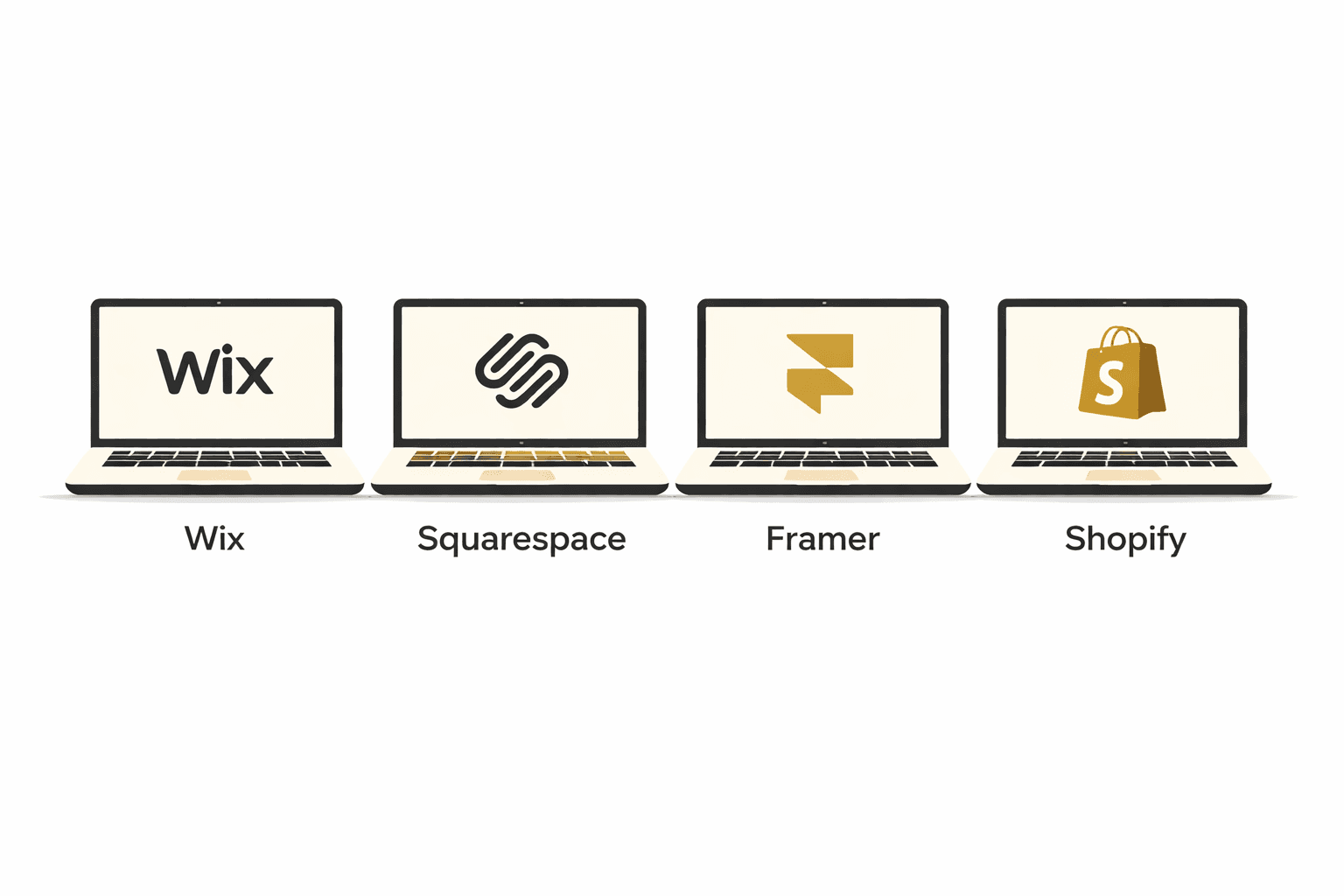
If you've spent more than ten minutes researching website platforms, you already know the overwhelm. Everyone has a hot take. Shopify fans say it's the only platform worth using. Squarespace users love how polished everything looks. Wix loyalists appreciate the flexibility. And Framer? That's what the design-forward crowd has been quietly building on for a while now.
The truth is, none of these platforms is universally "the best." The right choice depends entirely on what your business actually needs — and the wrong choice can cost you time, money, and a painful migration down the road.
I work with small business owners every day at ANG Productions, building and rebuilding websites across all four of these platforms. Here's my honest, firsthand take — with no affiliate bias.
Quick answer: Wix for service businesses that want flexibility. Squarespace for creatives and portfolio-driven brands. Framer for performance-obsessed, brand-first builds. Shopify for anyone selling products — period.
At a Glance: All Four Platforms Side by Side
Platform | From (mo) | Best for | Design flex | E-commerce | ANG builds? |
Wix | $17 | Service biz, DIY starters | High | Light–medium | Yes |
Squarespace | $23 | Creatives, portfolios | Medium | Light | Yes |
Framer | $10 | Brand-first, performance | Very high | Via add-ons | Yes — specialty |
Shopify | $29 | Product sellers, e-commerce | High | Best-in-class | Yes — boutique |
Prices shown are starting monthly rates billed annually. All platforms have higher tiers. Keep reading for the real nuance behind each one.
Wix
Best for: Service Businesses and DIY Starters
Wix has been around since 2006 and has grown into one of the most capable all-in-one platforms available. If you're a restaurant, gym, law firm, photographer, or local service business that wants a professional site without hiring a designer, Wix is a genuinely strong starting point.
What Wix does well
Huge template library (2,000+) covering almost every industry
Drag-and-drop editor with freeform placement — you can put things exactly where you want them
Built-in tools for booking, email marketing, and CRM without needing third-party apps
Wix Studio (their agency-grade editor) gives designers serious customization control
AI site builder can generate a functional starter site in minutes
Where Wix falls short
Once you publish, you can't switch templates without rebuilding from scratch
Performance can lag on older or overly complex Wix sites
E-commerce capabilities are decent for small catalogs, but inventory management becomes clunky as you scale past 50–100 products
Pricing: $17–$159/month (billed annually). You need at least the $29 Core plan to sell online.
ANG's take: Wix is our go-to recommendation for service-based businesses that want to manage their own site day-to-day. It's intuitive enough that clients can update it themselves, and capable enough that we can design something genuinely impressive on it.
Squarespace
Best for: Creatives, Portfolios, and Content-First Brands
Squarespace built its reputation on beautiful design, and that reputation is earned. If you're a photographer, artist, musician, consultant, or brand where aesthetics are the point — Squarespace templates are hard to beat out of the box.
What Squarespace does well
The most polished, editorial-quality templates in the industry
Grid-based layout system means it's nearly impossible to make something look bad
Strong for blogs, digital products, courses, and membership content
Clean CMS makes managing content simple for non-technical owners
Great for portfolios — especially creatives who want their work to speak for itself
Where Squarespace falls short
Less design flexibility than Wix or Framer — you work within the grid, not around it
E-commerce is limited. No multi-currency support, only 49 extensions available, and the checkout experience is difficult to customize
Starts at $23/month, and you need the $36 Business plan to avoid transaction fees on sales
Support is chat and email only — no phone
Pricing: $23–$65/month (billed annually). Transaction fees apply until the $40 Commerce plan.
ANG's take: Squarespace is beautiful, but it has a ceiling. If your goal is to grow an e-commerce business or build something highly custom, you'll likely outgrow it. We recommend it for creatives, consultants, and anyone where the site is more portfolio than storefront.
Framer
Best for: Brand-First Businesses That Prioritize Performance
Framer is the platform we build the most on at ANG Productions — and it's still the best-kept secret in web design. Originally a prototyping tool for product designers, Framer has evolved into a fully capable website builder that produces some of the fastest, most visually precise sites on the internet.
What Framer does well
Blazing fast load times — Framer sites consistently score 90+ on Google PageSpeed
Pixel-perfect design control that rivals hand-coded sites, without writing code
Beautiful animations and scroll effects that feel premium without being heavy
CMS is clean and flexible for blogs, portfolios, and dynamic content
SEO fundamentals are solid out of the box
Where Framer falls short
Steeper learning curve than Wix or Squarespace — not ideal for DIY
E-commerce isn't native — you'd typically integrate with Shopify or another payment tool
Smaller template library and community than the bigger platforms
Best results come from working with a designer who knows the platform well
Pricing: $10–$40/month (billed annually) for most small business plans. Very competitive for what you get.
ANG's take: When a client comes to us wanting a site that truly stands out — something that feels like a premium brand experience rather than a template — Framer is our first call. The performance and design quality are unmatched at the price point. But it's not a DIY platform; you need a designer who knows what they're doing.
Shopify
Best for: Anyone Selling Products (Boutique to Scale)
Here's the honest truth that most platform comparison articles won't say clearly: if you sell physical or digital products, Shopify is in a different league. It's not just a website builder — it's a commerce operating system purpose-built for merchants who want to grow.
Wix and Squarespace both offer e-commerce add-ons, but they were designed as website builders first. Shopify was designed as a store first, and every feature reflects that priority.
What Shopify does exceptionally well
Unlimited products with advanced inventory management, variants, and bulk editing
8,000+ apps in the Shopify App Store — integrations for every tool imaginable
Built-in Shopify Payments (no transaction fees if you use it), plus 100+ payment gateways
Shopify POS for in-person sales — seamlessly syncs with your online store
Multichannel selling: list directly on Instagram, TikTok, Amazon, and Pinterest from one dashboard
Agentic commerce integration — Shopify merchants can now appear in AI shopping engines like ChatGPT and Perplexity
Fastest checkout in the industry — Shopify's one-page checkout converts significantly better than competitors
Built-in analytics and reporting that go far deeper than Wix or Squarespace
Where Shopify requires attention
Cost creep is real. Essential tools like advanced email marketing, product reviews, and loyalty programs require paid apps — budget an extra $50–$150/month beyond the subscription
Using a payment gateway other than Shopify Payments adds a transaction fee (up to 2%)
More to set up than a simple brochure site — Shopify rewards businesses that invest in configuration
Shopify pricing (2026)
Plan | Monthly (annual) | Transaction fee | Best for |
Basic | $29/mo | 2.0% (ext.) | New stores, under $5K/mo revenue |
Shopify | $79/mo | 1.0% (ext.) | Growing brands, multiple staff |
Advanced | $299/mo | 0.5% (ext.) | Scaling stores, custom reporting |
Plus | $2,300/mo | 0.15% (ext.) | Enterprise / high volume |
Note: Annual billing gives you 25% off all plans. Shopify Payments eliminates the external transaction fee shown above.
The key insight: Most small businesses that sell products belong on Shopify's Basic or Shopify plan. The platform only becomes expensive if you're adding apps you don't actually need — something a good Shopify designer will help you avoid.
What a Boutique Shopify Build Looks Like — and Why It Matters
There's a meaningful difference between a Shopify store you set up yourself with a free theme and one built by a designer who understands both e-commerce conversion strategy and visual branding. Most Shopify stores look like Shopify stores. The boutique ones don't.
At ANG Productions, when we build on Shopify, we're not just installing a theme and adding products. We're thinking about:
Brand alignment — your Shopify store should look and feel like an extension of your brand, not a generic storefront
Conversion architecture — where do customers land, what do they see first, what's the path to purchase, and where do they drop off?
Product photography hierarchy — how images are sized, cropped, and displayed matters enormously for perceived value
App selection strategy — most stores need far fewer apps than they install. We help you identify the 3–5 that actually move the needle
Mobile checkout optimization — the majority of product purchases now happen on phones; your checkout has to be frictionless
SEO foundation — product descriptions, collection pages, and metadata structured to rank
The result is a Shopify store that converts at a higher rate, builds brand trust, and gives you a backend that's genuinely easy to manage day-to-day — because you shouldn't need a developer every time you want to add a product or run a sale.
Who this is for: Product-based businesses — boutique retail, handmade goods, wellness brands, fashion, food products, or any business that sells physical items online and wants a store that actually looks like a brand.
Which Platform Should You Actually Choose?
Stop trying to find the "best" platform in general and start asking: what does my business need specifically?
Choose Wix if...
You're a service-based business (restaurant, gym, salon, law firm, consultant)
You want to manage and update your site yourself without learning design
You have a small product catalog as a side offering, not a primary revenue driver
Choose Squarespace if...
Your site is primarily a portfolio, blog, or creative showcase
You sell a small number of premium digital products or courses
Design consistency and a clean aesthetic matter more than deep customization
Choose Framer if...
Your brand identity is a differentiator — and you want a site that reflects that
Performance and page speed are a priority (think: service businesses that run Google Ads)
You're working with a designer rather than building it yourself
Choose Shopify if...
You sell physical or digital products — full stop
You want to expand to selling on Instagram, TikTok, or Amazon without juggling separate platforms
You're planning to grow, and you don't want to migrate platforms in 12 months
You want in-person (POS) sales to sync seamlessly with your online store
Frequently Asked Questions
Can I use Shopify just for e-commerce and Framer for my main site?
Yes — and this is actually a smart setup for some businesses. You can embed a Shopify Buy Button on a Framer site, giving you the visual polish of Framer with Shopify's commerce infrastructure behind it. It requires a bit more configuration, but it's a great option for brands where the shopping experience is secondary to brand storytelling.
Is Shopify really worth it if I only have 10 products?
Yes, if those products are your primary revenue driver. Shopify's checkout converts better, its mobile experience is stronger, and its inventory tools will still be useful at 10 products. If you have 3 products and a service-based business where selling online is a secondary thing, Wix is probably fine. But if selling is the point, Shopify is worth it from day one.
Can I switch platforms later if I outgrow my current one?
You can, but it's painful. Migrating from Wix to Shopify (or Squarespace to Framer) means rebuilding your design from scratch, manually transferring content, losing your URL structure unless you set up redirects, and potentially losing SEO ranking temporarily. Every platform migration costs time and money. It's always better to choose the right platform at the start — which is exactly why we offer platform strategy consultations before we start any build.
What platform does ANG Productions build on most?
We build across all four, and we'd never push a client toward a platform that isn't right for their business. That said, the split in our recent work is roughly: Framer for brand-first service businesses, Shopify for product sellers, and Wix for local service businesses that want full control of their own site. Squarespace tends to come up most for clients who already have content-heavy brands and don't want to manage a lot of complexity.
The Bottom Line
Four platforms, four very different use cases. The mistake most small business owners make is choosing based on what they've heard is popular — rather than what actually fits their model.
Wix: flexibility and all-in-one tools for service businesses
Squarespace: the most beautiful templates for creative and portfolio brands
Framer: premium performance and design for brand-forward builds
Shopify: the undisputed choice for anyone selling products
If you're still unsure which platform fits your business — or you want an honest opinion before you commit to a build — book a free 20-minute discovery call. We'll ask the right questions and give you a straight answer, whether it involves working with us or not.
Get Started
Related Articles
Read more from our blog

What a Website Strategist Actually Does for Your Business
Wix vs. Squarespace vs. Framer vs. Shopify: Which Platform Is Right for Your Small Business in 2026?

How Much Does a Small Business Website Cost in 2026? (An Honest Breakdown)

How to Plan a Website That Grows With Your Business

What Your Website Should Actually Be Doing for You

Stop Treating Your Website Like a Project
Why Your Small Business Website Isn’t Converting (And What to Fix First)

The 5 Essentials Every Small Business Website Needs in 2026

This Year, Let Your Website Do More of the Work

10 UX/UI Mistakes That Are Quietly Killing Your Website's Conversions

How to Build a Marketing Funnel That Turns Website Visitors Into Paying Clients

Branding 101: How Small Businesses Build a Premium Brand That Attracts Better Clients

How to Run Ad Campaigns That Actually Generate Leads (Not Just Clicks)
A creative studio specializing in web design, branding, and digital strategy. We help businesses build their online presence with impactful design and seamless execution.
" height="13.449209421163687px" id="RZy9ceYgH" width="13.415220533212192px"/></g></svg>)
" height="100px" id="ZGdWvzvid" transform="translate(0.11 0)" width="99.74727939993px"/></svg>)

" height="100px" id="hi4VD4pbv" transform="translate(0.11 0)" width="99.74230642343855px"/></svg>)
© 2026 ANG Productions. All Rights Reserved.
A creative studio specializing in web design, branding, and digital strategy. We help businesses build their online presence with impactful design and seamless execution.
ANG PRODUCTIONS
© 2026 ANG Productions. All Rights Reserved.
Wix vs. Squarespace vs. Framer vs. Shopify: Which Platform Is Right for Your Small Business in 2026?
If you've spent more than ten minutes researching website platforms, you already know the overwhelm. Everyone has a hot take. Shopify fans say it's the only platform worth using. Squarespace users love how polished everything looks. Wix loyalists appreciate the flexibility. And Framer? That's what the design-forward crowd has been quietly building on for a while now.
The truth is, none of these platforms is universally "the best." The right choice depends entirely on what your business actually needs — and the wrong choice can cost you time, money, and a painful migration down the road.
I work with small business owners every day at ANG Productions, building and rebuilding websites across all four of these platforms. Here's my honest, firsthand take — with no affiliate bias.
Quick answer: Wix for service businesses that want flexibility. Squarespace for creatives and portfolio-driven brands. Framer for performance-obsessed, brand-first builds. Shopify for anyone selling products — period.
At a Glance: All Four Platforms Side by Side
Platform | From (mo) | Best for | Design flex | E-commerce | ANG builds? |
Wix | $17 | Service biz, DIY starters | High | Light–medium | Yes |
Squarespace | $23 | Creatives, portfolios | Medium | Light | Yes |
Framer | $10 | Brand-first, performance | Very high | Via add-ons | Yes — specialty |
Shopify | $29 | Product sellers, e-commerce | High | Best-in-class | Yes — boutique |
Prices shown are starting monthly rates billed annually. All platforms have higher tiers. Keep reading for the real nuance behind each one.
Wix
Best for: Service Businesses and DIY Starters
Wix has been around since 2006 and has grown into one of the most capable all-in-one platforms available. If you're a restaurant, gym, law firm, photographer, or local service business that wants a professional site without hiring a designer, Wix is a genuinely strong starting point.
What Wix does well
Huge template library (2,000+) covering almost every industry
Drag-and-drop editor with freeform placement — you can put things exactly where you want them
Built-in tools for booking, email marketing, and CRM without needing third-party apps
Wix Studio (their agency-grade editor) gives designers serious customization control
AI site builder can generate a functional starter site in minutes
Where Wix falls short
Once you publish, you can't switch templates without rebuilding from scratch
Performance can lag on older or overly complex Wix sites
E-commerce capabilities are decent for small catalogs, but inventory management becomes clunky as you scale past 50–100 products
Pricing: $17–$159/month (billed annually). You need at least the $29 Core plan to sell online.
ANG's take: Wix is our go-to recommendation for service-based businesses that want to manage their own site day-to-day. It's intuitive enough that clients can update it themselves, and capable enough that we can design something genuinely impressive on it.
Squarespace
Best for: Creatives, Portfolios, and Content-First Brands
Squarespace built its reputation on beautiful design, and that reputation is earned. If you're a photographer, artist, musician, consultant, or brand where aesthetics are the point — Squarespace templates are hard to beat out of the box.
What Squarespace does well
The most polished, editorial-quality templates in the industry
Grid-based layout system means it's nearly impossible to make something look bad
Strong for blogs, digital products, courses, and membership content
Clean CMS makes managing content simple for non-technical owners
Great for portfolios — especially creatives who want their work to speak for itself
Where Squarespace falls short
Less design flexibility than Wix or Framer — you work within the grid, not around it
E-commerce is limited. No multi-currency support, only 49 extensions available, and the checkout experience is difficult to customize
Starts at $23/month, and you need the $36 Business plan to avoid transaction fees on sales
Support is chat and email only — no phone
Pricing: $23–$65/month (billed annually). Transaction fees apply until the $40 Commerce plan.
ANG's take: Squarespace is beautiful, but it has a ceiling. If your goal is to grow an e-commerce business or build something highly custom, you'll likely outgrow it. We recommend it for creatives, consultants, and anyone where the site is more portfolio than storefront.
Framer
Best for: Brand-First Businesses That Prioritize Performance
Framer is the platform we build the most on at ANG Productions — and it's still the best-kept secret in web design. Originally a prototyping tool for product designers, Framer has evolved into a fully capable website builder that produces some of the fastest, most visually precise sites on the internet.
What Framer does well
Blazing fast load times — Framer sites consistently score 90+ on Google PageSpeed
Pixel-perfect design control that rivals hand-coded sites, without writing code
Beautiful animations and scroll effects that feel premium without being heavy
CMS is clean and flexible for blogs, portfolios, and dynamic content
SEO fundamentals are solid out of the box
Where Framer falls short
Steeper learning curve than Wix or Squarespace — not ideal for DIY
E-commerce isn't native — you'd typically integrate with Shopify or another payment tool
Smaller template library and community than the bigger platforms
Best results come from working with a designer who knows the platform well
Pricing: $10–$40/month (billed annually) for most small business plans. Very competitive for what you get.
ANG's take: When a client comes to us wanting a site that truly stands out — something that feels like a premium brand experience rather than a template — Framer is our first call. The performance and design quality are unmatched at the price point. But it's not a DIY platform; you need a designer who knows what they're doing.
Shopify
Best for: Anyone Selling Products (Boutique to Scale)
Here's the honest truth that most platform comparison articles won't say clearly: if you sell physical or digital products, Shopify is in a different league. It's not just a website builder — it's a commerce operating system purpose-built for merchants who want to grow.
Wix and Squarespace both offer e-commerce add-ons, but they were designed as website builders first. Shopify was designed as a store first, and every feature reflects that priority.
What Shopify does exceptionally well
Unlimited products with advanced inventory management, variants, and bulk editing
8,000+ apps in the Shopify App Store — integrations for every tool imaginable
Built-in Shopify Payments (no transaction fees if you use it), plus 100+ payment gateways
Shopify POS for in-person sales — seamlessly syncs with your online store
Multichannel selling: list directly on Instagram, TikTok, Amazon, and Pinterest from one dashboard
Agentic commerce integration — Shopify merchants can now appear in AI shopping engines like ChatGPT and Perplexity
Fastest checkout in the industry — Shopify's one-page checkout converts significantly better than competitors
Built-in analytics and reporting that go far deeper than Wix or Squarespace
Where Shopify requires attention
Cost creep is real. Essential tools like advanced email marketing, product reviews, and loyalty programs require paid apps — budget an extra $50–$150/month beyond the subscription
Using a payment gateway other than Shopify Payments adds a transaction fee (up to 2%)
More to set up than a simple brochure site — Shopify rewards businesses that invest in configuration
Shopify pricing (2026)
Plan | Monthly (annual) | Transaction fee | Best for |
Basic | $29/mo | 2.0% (ext.) | New stores, under $5K/mo revenue |
Shopify | $79/mo | 1.0% (ext.) | Growing brands, multiple staff |
Advanced | $299/mo | 0.5% (ext.) | Scaling stores, custom reporting |
Plus | $2,300/mo | 0.15% (ext.) | Enterprise / high volume |
Note: Annual billing gives you 25% off all plans. Shopify Payments eliminates the external transaction fee shown above.
The key insight: Most small businesses that sell products belong on Shopify's Basic or Shopify plan. The platform only becomes expensive if you're adding apps you don't actually need — something a good Shopify designer will help you avoid.
What a Boutique Shopify Build Looks Like — and Why It Matters
There's a meaningful difference between a Shopify store you set up yourself with a free theme and one built by a designer who understands both e-commerce conversion strategy and visual branding. Most Shopify stores look like Shopify stores. The boutique ones don't.
At ANG Productions, when we build on Shopify, we're not just installing a theme and adding products. We're thinking about:
Brand alignment — your Shopify store should look and feel like an extension of your brand, not a generic storefront
Conversion architecture — where do customers land, what do they see first, what's the path to purchase, and where do they drop off?
Product photography hierarchy — how images are sized, cropped, and displayed matters enormously for perceived value
App selection strategy — most stores need far fewer apps than they install. We help you identify the 3–5 that actually move the needle
Mobile checkout optimization — the majority of product purchases now happen on phones; your checkout has to be frictionless
SEO foundation — product descriptions, collection pages, and metadata structured to rank
The result is a Shopify store that converts at a higher rate, builds brand trust, and gives you a backend that's genuinely easy to manage day-to-day — because you shouldn't need a developer every time you want to add a product or run a sale.
Who this is for: Product-based businesses — boutique retail, handmade goods, wellness brands, fashion, food products, or any business that sells physical items online and wants a store that actually looks like a brand.
Which Platform Should You Actually Choose?
Stop trying to find the "best" platform in general and start asking: what does my business need specifically?
Choose Wix if...
You're a service-based business (restaurant, gym, salon, law firm, consultant)
You want to manage and update your site yourself without learning design
You have a small product catalog as a side offering, not a primary revenue driver
Choose Squarespace if...
Your site is primarily a portfolio, blog, or creative showcase
You sell a small number of premium digital products or courses
Design consistency and a clean aesthetic matter more than deep customization
Choose Framer if...
Your brand identity is a differentiator — and you want a site that reflects that
Performance and page speed are a priority (think: service businesses that run Google Ads)
You're working with a designer rather than building it yourself
Choose Shopify if...
You sell physical or digital products — full stop
You want to expand to selling on Instagram, TikTok, or Amazon without juggling separate platforms
You're planning to grow, and you don't want to migrate platforms in 12 months
You want in-person (POS) sales to sync seamlessly with your online store
Frequently Asked Questions
Can I use Shopify just for e-commerce and Framer for my main site?
Yes — and this is actually a smart setup for some businesses. You can embed a Shopify Buy Button on a Framer site, giving you the visual polish of Framer with Shopify's commerce infrastructure behind it. It requires a bit more configuration, but it's a great option for brands where the shopping experience is secondary to brand storytelling.
Is Shopify really worth it if I only have 10 products?
Yes, if those products are your primary revenue driver. Shopify's checkout converts better, its mobile experience is stronger, and its inventory tools will still be useful at 10 products. If you have 3 products and a service-based business where selling online is a secondary thing, Wix is probably fine. But if selling is the point, Shopify is worth it from day one.
Can I switch platforms later if I outgrow my current one?
You can, but it's painful. Migrating from Wix to Shopify (or Squarespace to Framer) means rebuilding your design from scratch, manually transferring content, losing your URL structure unless you set up redirects, and potentially losing SEO ranking temporarily. Every platform migration costs time and money. It's always better to choose the right platform at the start — which is exactly why we offer platform strategy consultations before we start any build.
What platform does ANG Productions build on most?
We build across all four, and we'd never push a client toward a platform that isn't right for their business. That said, the split in our recent work is roughly: Framer for brand-first service businesses, Shopify for product sellers, and Wix for local service businesses that want full control of their own site. Squarespace tends to come up most for clients who already have content-heavy brands and don't want to manage a lot of complexity.
The Bottom Line
Four platforms, four very different use cases. The mistake most small business owners make is choosing based on what they've heard is popular — rather than what actually fits their model.
Wix: flexibility and all-in-one tools for service businesses
Squarespace: the most beautiful templates for creative and portfolio brands
Framer: premium performance and design for brand-forward builds
Shopify: the undisputed choice for anyone selling products
If you're still unsure which platform fits your business — or you want an honest opinion before you commit to a build — book a free 20-minute discovery call. We'll ask the right questions and give you a straight answer, whether it involves working with us or not.
Get Started
Why Your Small Business Website Isn’t Converting (And What to Fix First)
Why Your Small Business Website Isn’t Converting (And What to Fix First)
Why Your Small Business Website Isn’t Converting (And What to Fix First)
Why Your Small Business Website Isn’t Converting (And What to Fix First)
Related Articles
Read more from our blog
A creative studio specializing in web design, branding, and digital strategy. We help businesses build their online presence with impactful design and seamless execution.
ANG PRODUCTIONS
Services
© 2026 ANG Productions. All Rights Reserved.